01
Spot inspection signals
Compare macOS trust with an independent public certificate baseline. See confirmed, suspected, and unknown results in context.
See the trust behind your traffic. Uncover TLS inspection signals, explore certificates, and understand your network. Right from your Mac’s menu bar.
macOS 14+ · Apple Silicon
Built for your Mac. Built to be understood.
Feels right at home.
A second view of trust.
On your own Mac.
From signal to context.
From a network signal to the certificate behind it. Everything you need to follow the evidence.
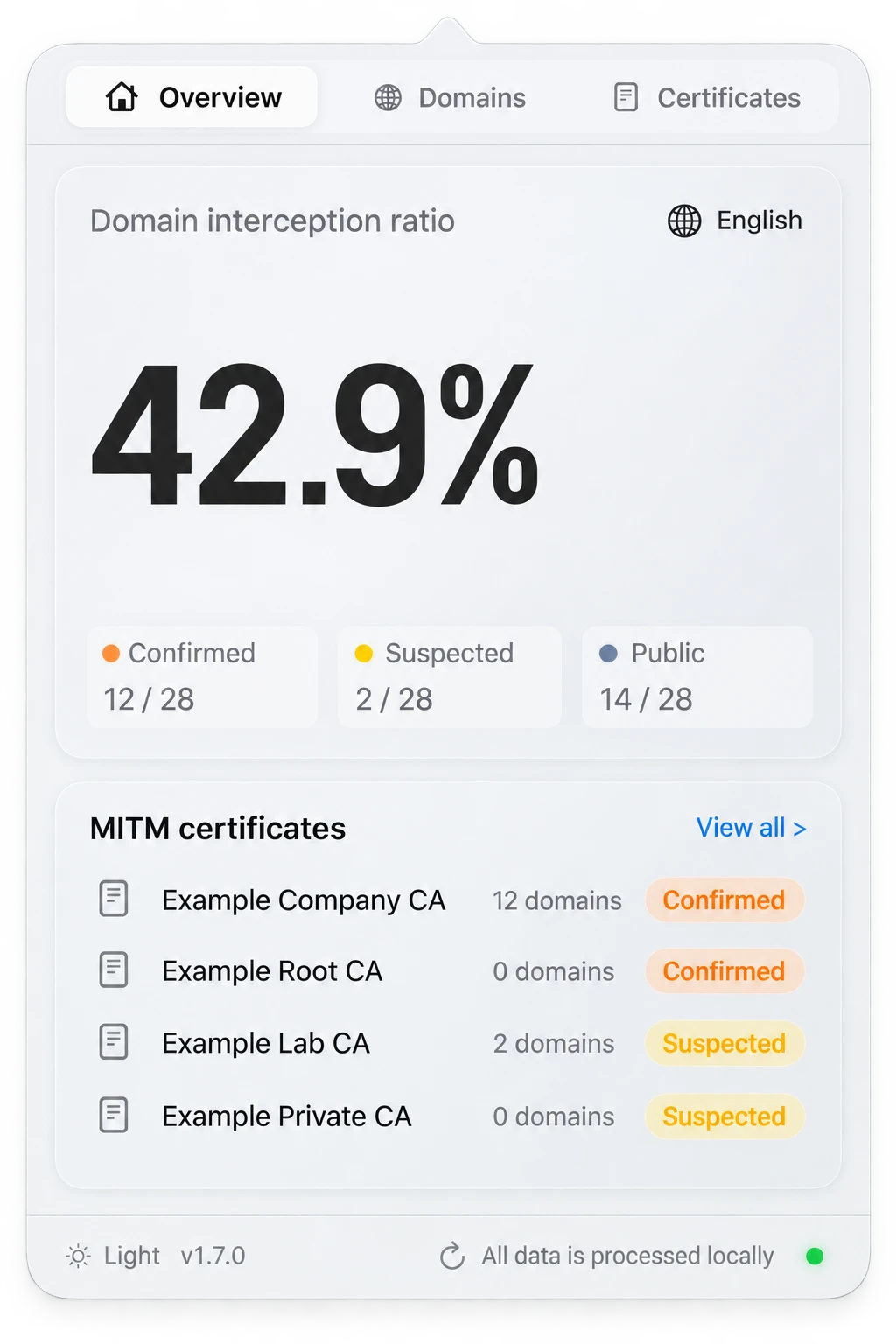
Compare macOS trust with an independent public certificate baseline. See confirmed, suspected, and unknown results in context.
Explore issuers, validity dates, fingerprints, and the domains that share a certificate authority.
Search observed domains, inspect probe results, and trace connection details without leaving your menu bar.
Recreated from the real app · Example data
A clear overview of domain classifications and the certificates behind inspection signals.
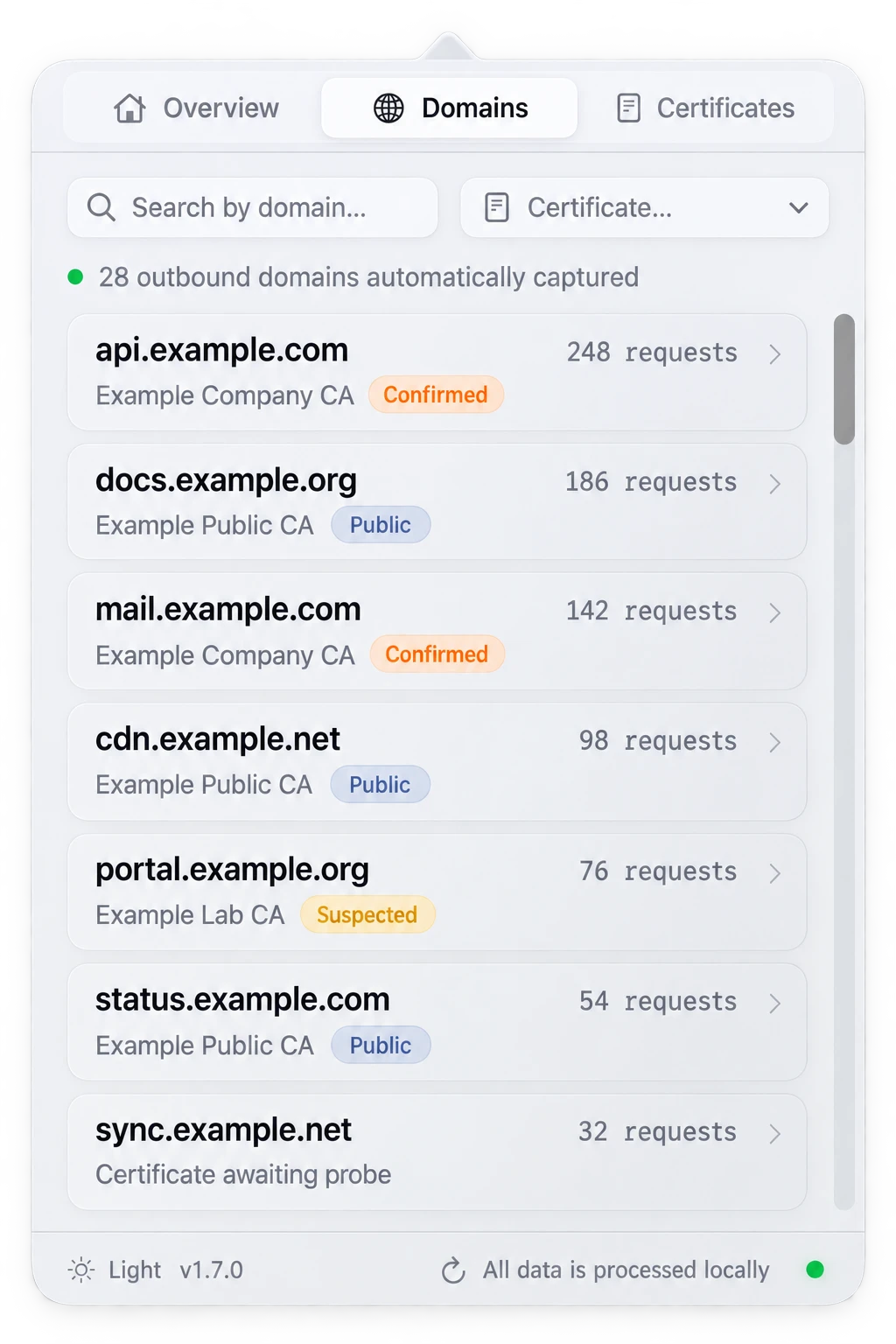
Find an observed domain, review its certificate, and follow the context behind a connection.
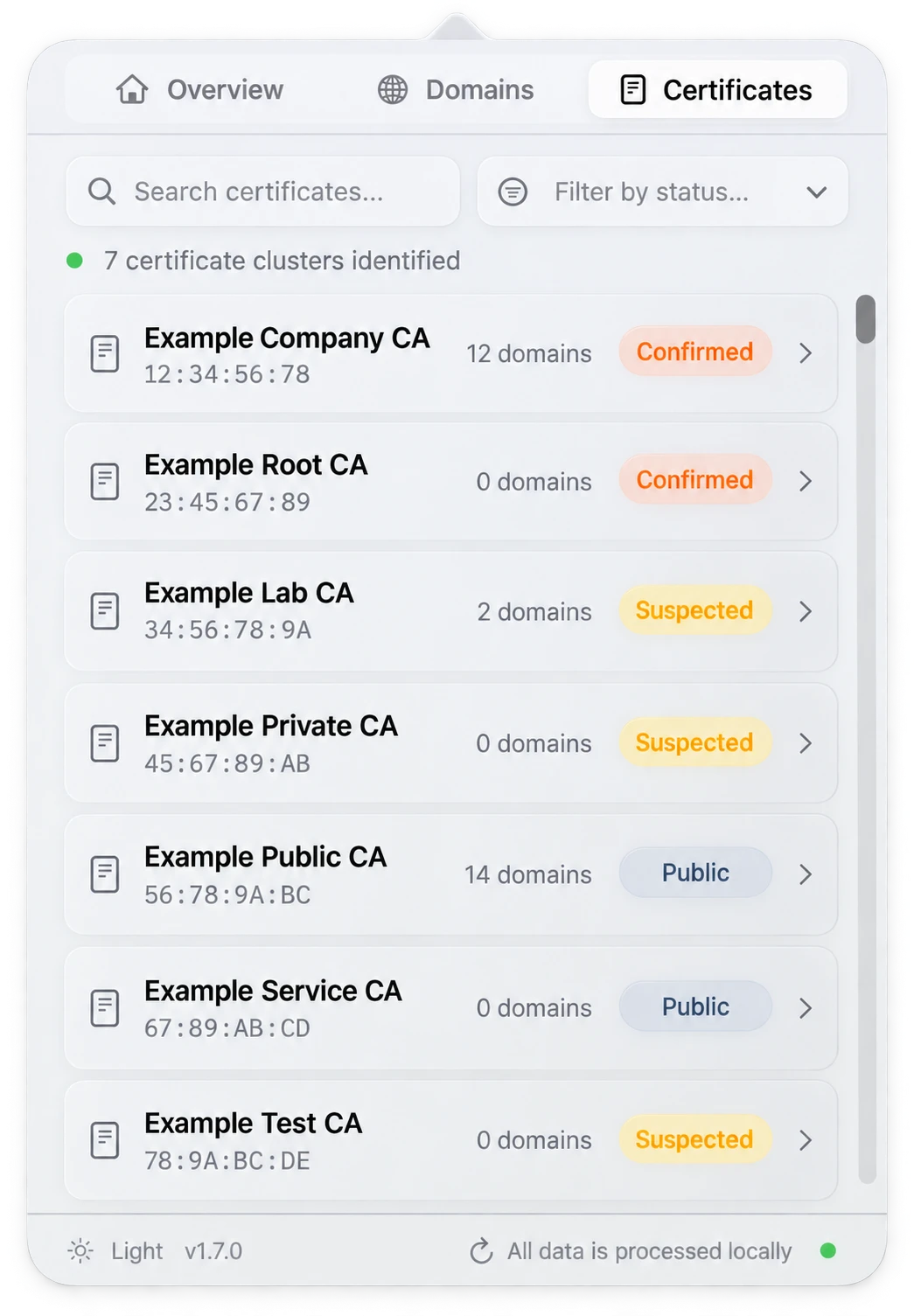
Browse certificate clusters, their fingerprints, and the domains where they appear.
Product illustrations based on the current app. Names and values are examples. Independent probes do not establish which certificate another app received.
Your network observations belong on your Mac. No central analysis service. No account to create.
Probes connect to discovered hosts. Some metadata and logs are not encrypted.
How your data is handledA simple flow from observation to understanding, right on your Mac.
Install on macOS 14 or later with Apple Silicon. Open the app from your menu bar.
Import accessible Chromium browser history and discover domains through available network metadata. TLS probes gather trust evidence.
Review domains, certificate details, and classifications. Follow a signal at your own pace.
Move from a network signal to the certificate behind it. Keep the detail close, and make your own assessment.
Explore the productTell us what you want to understand about your network. Your questions help shape what comes next.
Talk to usWe’re preparing the next chapter of SWG bar. Leave your email for availability, pricing, and product updates.
Availability and pricing will be announced.
Straight answers, from the project itself.
It compares native macOS trust with an independent public certificate baseline to surface TLS inspection signals. Classification depends on collected evidence and rules. A repeated certificate authority alone is not proof of inspection.
No. SWG bar examines available connection metadata and certificates, and makes its own TLS probes. It is not a VPN, traffic blocker, or decryption proxy. A probe cannot prove which certificate another application received.
SWG bar is designed for macOS 14 or later on Apple Silicon (M1 or later). Details for the next release will be shared when it is available.
Leave your email below to receive availability, pricing, and product updates. The next release date and pricing have not been announced.
It reads macOS certificate trust, imports hostnames from accessible Chromium browser histories, and uses network metadata where permissions allow. Observations stay local; probes make outbound TLS connections. Some fields are encrypted, but metadata and logs are not fully encrypted.
Yes. Current classification is scoped to supported IPv4 HTTPS evidence. Missing handshakes, unavailable capture permissions, unsupported traffic, and other gaps may leave results unknown or excluded. Treat the app as an evidence tool, not a guarantee.
The current application resets its local database, rules, encryption key, and archived logs when it detects a newer version. Back up ~/Library/Application Support/SWGBar/ and ~/Library/Logs/SWGBar/ before upgrading if you need existing records.
Be first to hear what comes next.
Your email is only used for SWG bar availability, pricing, and product updates. Contact us to unsubscribe or request deletion. Privacy details
support@swgbar.com